Thursday, October 8, 2026ArchiveSearchAsk the paper

The Computomatix Times

All the posts fit to save — curated from @computomatix's bookmarks & likes on X

Agents & Dev Tools

Coding agents, developer tools, workflows, open source

Greg Isenberg Outlines Seven Lessons for Running a Startup With AI Agents

Greg Isenberg Outlines Seven Lessons for Running a Startup With AI Agents▶

Greg Isenberg shares a guide to Paperclip, an open-source project for managing teams of AI agents such as CEO, engineer and QA roles, covering persona prompts, memory via heartbeat checklists, skills, quality review and token tracking.

Original post · 3 min read
I met the guy behind Paperclip. he won't show his face, but he just built one of the FASTEST growing open-source projects in AI.

how to use Paperclip to hire AI agents to ACTUALLY run a startup with 0 employees:

1. with paperclip, you hire a team of AI agents like CEO, engineer, QA, video editor, content strategist and manage them from one dashboard.

it works with Claude Code, Codex, OpenCode, or any model on OpenRouter. you're not locked into one provider.

2. your AI agents wake up capable but with zero memory. they don't know who they are, where they are, or what they're supposed to be doing. kinda like that movie memento from back in the day

you need to leave them Polaroids like heartbeat checklists, persona prompts, written context. that's how you keep them on track.

3. when an agent makes a mistake, you don't rewrite everything. you add one rule to their persona prompt.

"always define a success condition for every task."

"always pass work to QA before closing." you're training them like you'd train a junior hire. one correction at a time.

4. skills extend what your agents can do. want a video editor who can produce animated content? install the Remotion skill. want security reviews? there's a skill for that.

5. the biggest lever for quality is encoding your own taste. AI can do everything except know your values. design sensibility, brand voice, success criteria but you have to write it down.

6. don't one-shot your startup. agentic design patterns matter. the simplest one: after the engineer builds something, QA reviews it. structure prevents compounding errors. one-shotting an entire app is fun for 30 minutes, then it falls apart.

7. Paperclip tracks every token spent and every task completed. you can use your existing subscriptions (Claude, Codex) so spend shows as $0, or hook into API credits for real dollar tracking.

8. importable companies are coming. Gary Tan's G-Stack, a full game studio, 300+ agent repos... you can "acqui-hire" a proven agent team into your Paperclip instance instead of building from scratch. the future is downloading a tested org that actually works.

9. routines let you automate recurring work. "every day at 10am, read what was merged into the main branch and write a Discord update celebrating community contributors." it runs, you review, you improve. every task is traceable.

10. maximizer mode is next. you tell the CEO "build this game" and it does whatever it takes and hires who it needs, keeps pressing until it's done. no token anxiety. just outcomes.

use @ideabrowser for startup ideas/trends to get started

thank you for @dotta for doing this podcast and breaking down exactly how people can hire ai agent teams with paperclip

you won't find an episode like this anywhere else

episode is live on @startupideaspod on your fav platforms (follow for more)

is this not the greatest time in history to be building?

im rooting for you

now go watch my frien
♥ 2.6K · ⟲ 259 · 👁 466.1KView on X ↗

Cathryn Open-Sources Ops Toolkit for Keeping OpenClaw Running

Cathryn releases openclaw-ops, a set of open-source scripts that repair gateway issues, watch and restart the gateway, check configuration health, scan for security gaps, and audit third-party ClawHub skills.

Original post · 1 min read
🦞 openclaw-ops

tired of babysitting your OpenClaw?

I just open-sourced my ops layer. It fixes the gateway, exec approvals, broken crons, stuck sessions, channel issues, and security gaps.

• heal.sh — one-shot fix for the most common gateway issues (auth, exec approvals, crons, stuck sessions)
• watchdog.sh — runs every 5 min, restarts gateway if down, escalates after 3 failures
• watchdog-install.sh — installs the watchdog as a macOS LaunchAgent so it survives reboots
• check-update.sh — detects version changes, explains what config broke and why; --fix to auto-apply
• health-check.sh — declarative URL/process checks for gateway-adjacent services and workers
• security-scan.sh — config hardening score (0–100), drift detection, credential scan
• skill-audit.sh — static audit for third-party ClawHub skills before you install them

basically everything I built for myself since January to stop me from tearing my hair out 💀

link below 🫶
Cathryn @cathrynlavery
🦞 Openclaw update fix

If your agents are hitting exec approval walls after the latest update, the fix is three settings:

In exec-approvals.json defaults:
- security: "full"
- ask: "off"
- askFallback: "full"

In openclaw.json:
- tools.exec.security: "full"
- tools.exec.strictInlineEval: "false"

Then restart gateway.

The allowlist wildcard * alone isn't enough. There's a second policy layer that gates complex commands independently.
♥ 559 · ⟲ 44 · 👁 104.0KView on X ↗

oh-my-claudecode Adds Multi-Agent Modes to Claude Code

oh-my-claudecode Adds Multi-Agent Modes to Claude Code

Hasan Toor promotes oh-my-claudecode, an open-source orchestration layer for Claude Code offering autopilot, parallel, swarm and pipeline modes with 32 specialized agents. The post claims 3-5x faster output and automatic model routing between Haiku and Opus.

Original post · 2 min read
🚨 Claude Code just got superpowers.

Someone built a multi-agent orchestration layer on top of Claude Code that gives it 5 execution modes, 32 specialized agents, and 3-5x faster output. Zero learning curve.

No new tools. No new subscriptions. Just Claude Code running like it was always meant to.

It's called oh-my-claudecode.

Here's what's inside:

→ Autopilot mode: fully autonomous execution, just describe the task and walk away
→ Ultrapilot mode: spins up parallel agents and runs 3-5x faster on multi-component builds
→ Swarm mode: coordinates multiple agents working independently toward the same goal
→ Pipeline mode: sequential chains for multi-stage processing tasks
→ Ecomode: token-efficient execution that saves 30-50% on costs without sacrificing quality

Here's what actually makes this different:

32 specialized agents for architecture, research, design, testing, and data science. Smart model routing uses Haiku for simple tasks and Opus for complex reasoning automatically. You never think about which model to use. The system decides.

One magic keyword and everything changes:

→ Type "autopilot" and it builds the whole thing autonomously
→ Type "ralph" and it goes into persistence mode, won't stop until the job is verified complete
→ Type "eco" and it switches to budget mode
→ Type "plan" and it runs a planning interview before touching a single file

The wildest part? It auto-resumes your Claude Code sessions when rate limits reset. No babysitting. No manually restarting. Just continuous execution.

3.6K GitHub stars. 100% Open Source.

Link in comments.
♥ 2.0K · ⟲ 256 · 👁 190.0KView on X ↗

Manthan Gupta Applies Karpathy's Autoresearch Idea to LLM Inference

What Happened When I Applied Karpathy's Autoresearch Idea to LLM Inference

Manthan Gupta describes building Auto-Inference-Optimiser, an open repo where an AI coding agent hill-climbs on MLX inference speed on Apple Silicon under a locked evaluation harness. The article focuses on the failed experiments and fake wins behind benchmark gains.

Original post · 10 min read
X ArticleWhat Happened When I Applied Karpathy's Autoresearch Idea to LLM Inference
Most "AI optimization" demos are fun to watch for the same reason benchmark tweets are fun to watch: they show you the win, not the search.
You see the final graph. You see the +12% or the "runs 2x faster now" claim. What you usually do not see is the graveyard of bad ideas behind it. The settings that looked promising but were just noise. The optimizations that made throughput better by quietly making the model worse. The fake wins that only happened because the benchmark got easier.
So I built a small repo called Auto-Inference-Optimiser (star the repository!) to study exactly that.
The idea is simple: lock the evaluation, open one file for experimentation, and let an AI coding agent hill-climb on inference speed forever on Apple Silicon.
The most interesting part was not that it achieved a speedup. It was the kind of speedup it achieved, what it failed to improve, and what that indicates about inference engineering on real hardware.
Let's get into it.
Why I Built This
I care a lot about inference right now.
Not in the abstract "LLMs are cool" sense. I mean the actual production questions: where latency comes from, what batching buys you, what prompt processing costs, how KV cache decisions change throughput, and where the hardware wall starts pushing back.
There is a lot of content online about training. There is also a lot of content online about agents. But there is still not enough content that combines both instincts: build a tight experimental harness, let the agent search inside it, and use that process to learn something real about inference.
This repo was my way of doing that.
It is inspired by Karpathy's Autoresearch, but pointed at a different layer of the stack. Instead of searching over training code on a GPU box, this one searches over an MLX inference pipeline on a Mac because I am GPU poor (please sponsor a GPU).
What The Repo Actually Does
At a high level, the repo turns "make inference faster" into a bounded optimization problem.
The structure is intentionally small:

That boundary is doing most of the work.
prepare.py is read-only. It fixes the benchmark model, the prompts, the warmup behavior, the averaging logic, and the quality gates. The agent cannot "win" by quietly changing the test.
inference.py is the search surface. That is where the agent is allowed to touch sampling, prefill step size, prompt formatting, and the general generation path.
program.md tells the agent how to behave:

That is the core harness.
And I like this design a lot because it bakes in three things that most autonomous coding demos hand-wave away:
Reversibility - bad ideas are cheap to discard.
Observability - every run leaves behind metrics and logs.
Constraints - the agent is not allowed to optimize by moving the goalposts.
The Evaluation Is The Real Product
The truth is that the most important file in this repo is not inference.py. It is prepare.py.
That file fixes the benchmark around a small Apple Silicon friendly model, runs warmups, averages across multiple runs, and evaluates five different prompt types:
explanation
long-context summarization
reasoning
creative generation
code generation
That already makes the benchmark better than a lot of speed demos, because decode-heavy and prefill-heavy cases behave differently.
But the more important choice is the quality gate.
This repo does not let the agent optimize only for tokens/sec. It requires two checks to pass:
avg_perplexity has to stay below a threshold
sanity_check has to stay above a threshold
That second gate matters a lot.
Perplexity is useful, but it is still a model-internal metric. It can tell you that outputs are becoming unstable or degenerate, but it does not fully tell you whether the answer is still usable. So the repo also checks for concrete task-level correctness: did the train speed answer contain 48? Did the transformer explanation mention the right ideas? Did the LCS prompt actually return something that looks like Python code?
This is one of my favorite design choices in the whole project.
Because if you do not defend quality explicitly, an optimization harness will absolutely "improve" your system by making it worse.
What Actually Worked
After the optimization runs, the pattern was surprisingly clear.
Here is the short version:

But the more interesting part is where they came from.
1. Argmax sampling was the biggest win
On the Qwen run, setting sampling to greedy decoding gave the largest gain: about +10.8% generation throughput.
On the Llama run, it was also the best keep: about +2.6%.
That tells you something important: sampling overhead is not free. Top-p decoding is doing real work every token, and if your objective is pure throughput, removing that work can matter more than a lot of fancier ideas.
Of course, there is a trade-off.
You get deterministic output and lose diversity. So this is not a universal recommendation for every product. But as an inference lesson, it is very clean: sometimes the fastest path is just doin… continue on X ↗
♥ 516 · ⟲ 44 · 👁 216.9KView on X ↗

Anthropic Lets Claude Control Users' Computers in Research Preview

Anthropic Lets Claude Control Users' Computers in Research Preview▶

Anthropic's Claude account announces a research preview that lets Claude use a user's computer to open apps, navigate browsers and fill in spreadsheets. It is available in Claude Cowork and Claude Code on macOS only.

Original post · 1 min read
You can now enable Claude to use your computer to complete tasks.

It opens your apps, navigates your browser, fills in spreadsheets—anything you'd do sitting at your desk.

Research preview in Claude Cowork and Claude Code, macOS only.
♥ 136.6K · ⟲ 14.0K · 👁 78.4MView on X ↗

Griffin Hilly Publishes Claude Code Setup Built From Saved Bookmarks

One Claude Code Setup to Rule Them All

Griffin Hilly presents a Claude Code workflow distilled from bookmarked posts, including a CLAUDE.md operating model with plan-first protocols, orchestrator-first delegation and dialectic reviews. The setup is published as a GitHub repository for others to clone.

Original post · 5 min read
X ArticleOne Claude Code Setup to Rule Them All
You've seen the X articles.
Maybe you've downloaded Claude Code but you weren't sure where to get started.
You saw @Karpathy's post about auto-research but you're not sure if you have anything interesting to research.
You saw a bunch of tweets about things to add to your CLAUDE.md, but then you saw another saying your CLAUDE.md was too long and should be cut down to basics.
You're lost and you don't know what to do.
This is the tweet for you.
I've read all those tweets for you. Or more accurately, I've read some of them and my Claude has read them all. And my Claude distilled all of that into a single, simplified workflow that you can copy for yourself.
Just clone this repository and you're good to go: github.com/griffinhilly/claude-code-synthesis
Alternatively you can have your Claude do it for you.
Every week I download all the bookmarks I've saved and have my Claude read them. We consider adding anything we don't have already in our workflow. Your Claude can do the same.
Here's what Claude and I have found:

The Operating Model (CLAUDE.md)
The single most important file. Copy it to ~/.claude/CLAUDE.md and it changes how Claude approaches every task. Here's what's in it:
Leverage Doctrine. You do the thinking. Claude does the doing. You ideate, decide, and steer. Claude researches, implements, and executes. When uncertain, it surfaces options with tradeoffs instead of deciding silently.
Plan-First Protocol. Every task starts with: what's the objective? How will we know it worked? What are the sub-tasks? Research agents plan, implementation agents execute. Never both.
Scope Discipline. Claude pushes back on ambitious plans. "This is a 3-session project. Want to start with just X?" A working smaller thing beats a half-finished grand vision.
Orchestrator-First. The session agent is a manager, not a worker. Before any task, it decides: handle directly, delegate to a subagent, or route to MCP? This is the single biggest lever for productivity.
Dialectic Reviews. For important decisions, don't ask "what should I do?" Spawn opposing agents — one argues FOR, one argues AGAINST — with a referee to synthesize. Dramatically better than asking one agent for pros and cons. (h/t @danpeguine and @systematicls for the Hunter/Skeptic/Referee pattern)
Anti-Sycophancy. If an approach has clear problems, Claude says so directly, proposes an alternative, and accepts override. Sycophancy is a failure mode.
Test-First Bug Fixing. When a bug is reported, write a test that reproduces it before trying to fix it. (h/t @tangming2005 — this was his "single biggest improvement to my CLAUDE.md")
Operationalize Every Fix. Don't just fix the bug. Write tests that catch the whole class of similar bugs. Check for other instances. If it reveals a gap in your instructions, update CLAUDE.md. Every bug is a learning opportunity. (h/t @doodlestein)
Evals Before Specs. Define how you'll evaluate success before writing the spec. The progression: evals → spec → plan → implement → verify. (h/t @synopsi, who now spends 90% of time on evals)
Prefer the Boring Solution. Can this be fewer lines? Are abstractions earning their complexity? Don't build 1,000 lines when 100 suffice. (h/t @karpathy — "agents bloat abstractions, have poor code aesthetics")
Progressive Disclosure. Don't dump everything into CLAUDE.md. Keep it lean with trigger rules ("when X happens, read guide Y"). Guides load on-demand. (h/t @toddsaunders and @mstockton)
Structured > Prose. For rules agents MUST follow, use XML tags and JSON, not markdown paragraphs. Claude processes tagged content differently. (h/t @ihtesham2005 and @Austen)
Workflow Evolution. The workflow is a living system. When a session reveals a new pattern, encode it. Use your tools to improve your tools. It's a flywheel, not a static config. (h/t @doodlestein's Agent Flywheel) ALSO SERIOUSLY, GO FOLLOW @doodlestein
Corrective Framing. "Remember to do X" doesn't work. Instead, present a possibly-wrong claim: "You should be doing X — are you still doing it?" Mismatches trigger natural correction. (h/t @yishan)

The COMP System
Every project gets 4 files:
- CLAUDE.md — how the AI should behave here
- ORIENT.md — what a human needs to know to work here
- MEMORY.md — accumulated decisions, gotchas, context
- PLAN.md — roadmap, progress, next steps
Separate behavioral instructions from human orientation from accumulated knowledge from direction. Each has a different audience and update frequency.

The Guides
Seven situational guides that Claude loads on-demand — delegation templates (7 agent types with prompt structures), shell rules, context efficiency, API-over-scraping, PostgreSQL batching, overnight autonomous runs, and a skills reference.
The delegation templates alone are worth the clone. Implementer, Researcher, Reviewer, Batch Worker, Session Reviewer, Explorer, Creative — each with a prompt template, model recommendation, and mandatory report format.

The Bookmark Pipeline
This is the meta-move. Every week… continue on X ↗
♥ 224 · ⟲ 18 · 👁 114.4KView on X ↗

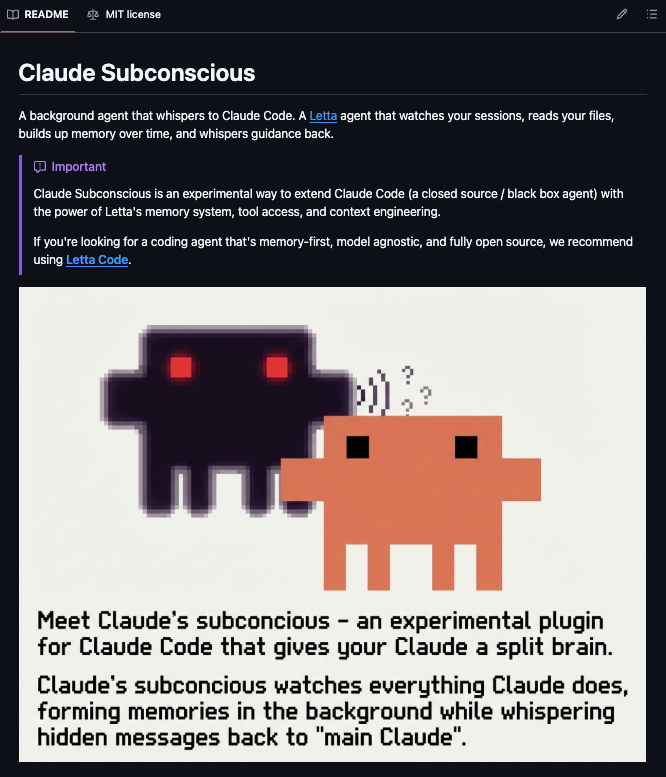
Claude Subconscious Adds Persistent Background Memory to Claude Code

Claude Subconscious Adds Persistent Background Memory to Claude Code

Ihtesham Ali describes Claude Subconscious, an MIT-licensed tool that sends Claude Code session transcripts to a background Letta agent, which maintains eight memory blocks covering preferences, architecture, patterns and pending items across projects.

Original post · 1 min read
🚨BREAKING: Someone built a second brain for Claude Code that runs silently in the background and never lets it forget a thing.

It's called Claude Subconscious, and it solves the biggest problem with every AI coding agent the amnesia that hits the moment you close a session.

Here is how it works:

After every Claude Code response, your full session transcript gets sent to a background Letta agent running underneath Claude. That agent reads your files, searches your codebase, updates its memory, and whispers back the most relevant context before your next prompt all without adding a single second of delay to your workflow.

The agent maintains 8 persistent memory blocks that grow smarter over time:

→ Your coding preferences and style choices it has learned from watching you
→ Project architecture - decisions and known gotchas it has read from your codebase
→ Session patterns - recurring struggles, time-based behaviours, common mistakes
→ Pending items - unfinished work and explicit TODOs it tracks across sessions
→ Active guidance it surfaces before each prompt when it has something useful to say

One agent brain connects across all your projects simultaneously, so the context you built in one repo carries into the next one you open.

Claude Code gets smarter the more you use it, without you changing a single thing about how you work.

MIT License. 100% Open Source.
♥ 874 · ⟲ 128 · 👁 79.0KView on X ↗

Cursor Releases Plugin for Building CLIs That AI Agents Can Use

Cursor Releases Plugin for Building CLIs That AI Agents Can Use

Eric Zakariasson shares a Cursor marketplace plugin that helps developers build command-line tools suited to agents, addressing issues like interactive prompts and help pages lacking examples. A linked post explains the problem in more detail.

Original post · 1 min read
i turned this into a plugin you can use when building cli's
install here: cursor.com/marketplace/cursor/cli-for-agent
eric zakariasson @ericzakariasson
Building CLIs for agents — If you've ever watched an agent try to use a CLI, you've seen it get stuck on an interactive prompt it can't answer, or parse a help page with no examples. Most CLIs were built assuming a human is at
♥ 502 · ⟲ 24 · 👁 79.5KView on X ↗

Claude Code Paired With Google Stitch 2.0 Redesigns Vibe-Coded Apps

Claude Code + NEW Stitch 2.0 just changed how I design apps

Prajwal Tomar argues that generic AI-built app UIs are a workflow problem and describes using Google Stitch 2.0 with Claude Code via MCP to generate a design system and redesign a client app in under an hour.

Original post · 11 min read
X ArticleClaude Code + NEW Stitch 2.0 just changed how I design apps
Google Stitch 2.0 + Claude Code via MCP is the workflow I’ve been testing… and the results are genuinely insane.
I've been saying this for a while now. If your app looks like AI slop, that's not an AI problem. That's a workflow problem.
Most builders are stuck in the same cycle. You build something functional with AI. The features work. The logic is solid. But the UI looks generic and you know it. Your users know it too. And the moment someone lands on your product, they make a judgment in about two seconds.
The old fix was to hire a designer. Spend $3,000 to $10,000. Wait weeks for Figma files. Then spend even more time getting someone to actually implement those designs into your codebase. By the time the design was live, you'd already lost momentum and burned through cash you didn't need to spend.
That entire process is now optional.
I was able to take a client project that looked like every other vibe coded app and completely redesign it in under an hour. Professional typography. Consistent color system. A design language that actually holds together across every screen.
This is the workflow I'm running now. And I think every builder shipping with AI needs to understand how it works.
Why Stitch 2.0 Is Actually Different
I've tested a lot of AI design tools over the past year. Most of them generate something that looks decent on the first screen and then falls apart the moment you try to build a second page. Consistency is the problem. It always has been.
Stitch 2.0 solves this in a way nothing else has.
It's an AI native canvas. You can feed it screenshots of your existing app, drop in inspiration images from places like Dribbble or 21st.dev, or even paste a URL and let it reverse engineer the design of any website you like. It takes those creative seeds and generates full UI designs with multiple variants you can pick from.
But the real unlock is not the designs themselves. It's what Stitch builds in the background while it's designing.
A complete design system.
Typography scales covering display, headline, label, title, and body fonts. A primary, secondary, and tertiary color palette that's auto generated to be complementary. Color scales for every shade. Component rules and patterns. Elevation and depth specs. Even dos and don'ts for your design language.
All of this gets documented automatically in a file called design.md. This is a plain markdown file that captures every single design rule in one place. And this is the file that changes everything when you bring Claude Code into the picture.
How I Actually Use This on Real Projects
Let me walk you through exactly what I do. No theory. Just the workflow.
I start by taking screenshots of whatever I'm redesigning. If it's a client project or something I've been building myself, I screenshot the main screens and drop them directly onto the Stitch canvas. If I'm starting fresh, I'll grab two or three inspiration images from Dribbble instead. You don't need more than that. You're not looking for something to copy. You're looking for a direction.
Then I write one focused prompt. I tell Stitch what the app does, which screens I want redesigned, and the design direction I'm going for. Dark mode, minimal, editorial, whatever fits the product. I also specify font preferences because fonts are honestly the single fastest way to elevate how an app feels. Serif for headings, clean sans serif for body is a combination that works really well for most SaaS products.
Stitch generates multiple variants from that one prompt. This is important. Don't just accept the first output. Look at each variant and pull the best elements from each. The typography from one, the layout from another, the color energy from a third. You're curating, not just accepting.
One thing most people miss about why Stitch produces such strong output is that it generates images first before any code. That means it's not constrained by what HTML and CSS can do. It can imagine anything visually. Then you work backwards from that reference to build it. That's why the designs feel so much more polished than what you get from prompting a coding tool directly.
You can also talk to Stitch via voice now instead of typing. It transcribes your words into prompts automatically. Small feature but genuinely useful when you're deep in a session and want to keep moving fast.
Design.md Is the Real Game Changer
Once you're happy with your designs, go to the right hand panel in Stitch and click on Design Systems. You'll see that Stitch has already created one for you automatically based on everything you've been designing.
Click into it and you'll find the full design system I described earlier. Typography, colors, components, rules, everything documented and organized.
Now click on design.md.
Copy the entire file. Go to your project. Create a new file called design.md in the root directory. Paste it in. Save it.
That file is now the single source of truth for your entire design language.
Here's why this matters … continue on X ↗
♥ 1.0K · ⟲ 103 · 👁 805.5KView on X ↗

Aiden Bai Launches Expect, Open-Source Browser Testing for Coding Agents

Alex Reibman endorses a post from Aiden Bai introducing Expect, an open-source tool that lets coding agents like Claude Code or Codex QA apps in a real browser, record videos of bugs, and fix them iteratively. It runs as a CLI or agent skill.

Original post · 1 min read
Ok this is exactly what I was looking for
Aiden Bai @aidenybai
Introducing Expect

Let agents test your code in a real browser

1. Run Claude Code / Codex to QA your app
2. Watch a video of every bug found
3. Fix and repeat until passing

Run as a CLI or agent skill. Fully open source
♥ 314 · ⟲ 8 · 👁 99.0KView on X ↗

Google Stitch Adds Prompt Enhancer and Design Tips for Better Results

Google Stitch Adds Prompt Enhancer and Design Tips for Better Results▶

Stitch by Google thanks users after its launch and shares guidance on prompting, including a new prompt enhancer under the plus menu. The post outlines tips on intent, design language and color hierarchy, with a video walkthrough by David East.

Original post · 1 min read
We are completely humbled by the amazing response to our launch last week! 🫶 Now, we want to help you get the absolute best results from Stitch.

In this new video, David East walks you through how to consistently get premium results.

We also launched a new prompt enhancer (located under ‘+’ menu) to help you quickly collaborate on your vision before you submit your first prompt.

Stitch doesn't replace the design process—it is a tool for fast exploration and refinement, which is most effective when you step into the role of Creative Director.

Here are David's top strategies for taking your designs from generic to amazing:

🧠 Start with Intent: Define exactly who the design is for and how you want them to feel before you start building.

🎨 Enhance your prompt: You can use the new prompt enhancer (under the ‘+’ button’) to teach you design language and swap abstract words like "sporty" for tangible aesthetic descriptions like "high-end stationery" or "architectural limestone".

📐 Master Color Hierarchy: Treat colors as visual weight—Neutral for the canvas, Primary for ink, and Tertiary for your loudest accents.

Watch the full breakdown and see the transformation here👇images in 🧵
♥ 3.7K · ⟲ 312 · 👁 713.5KView on X ↗

Farza Open-Sources Clicky on GitHub

GitHub - farzaa/clicky

Farza announces that his project Clicky is now open source and links to its GitHub repository. The post gives no further detail on what the project does.

Original post · 1 min read
Now open-source.

Go build.

github.com/farzaa/clicky
github.comGitHub - farzaa/clickyContribute to farzaa/clicky development by creating an account on GitHub.
♥ 238 · ⟲ 7 · 👁 30.2KView on X ↗

Alibaba Open-Sources Flyai Skill Bringing Travel Search to Coding Agents

Alibaba Open-Sources Flyai Skill Bringing Travel Search to Coding Agents

Tom Dörr shares a GitHub repository from Alibaba, flyai-skill, which adds travel search capabilities inside AI coding agents. The project is an open-source agent skill that developers can contribute to.

Original post · 1 min read
Travel search inside AI coding agents

github.com/alibaba-flyai/flyai-skill
github.comGitHub - alibaba-flyai/flyai-skill: fly ai agent skillfly ai agent skill. Contribute to alibaba-flyai/flyai-skill development by creating an account on GitHub.
♥ 495 · ⟲ 47 · 👁 29.0KView on X ↗

Paperclip Open-Source Project Sees Early Business Adoption by Roofers and Dentists

Paperclip Open-Source Project Sees Early Business Adoption by Roofers and Dentists▶

The Startup Ideas Podcast reports that Paperclip, a three-week-old open-source AI agent project, is being used by a roofing company for lead generation, a dentist for practice management, and a security firm for audits. The post frames these as non-tech businesses running AI agents.

Original post · 1 min read
Paperclip has been live for 3 weeks.

A roofing company is already using it to close more deals.

Here's how:

They built agents that
- pull satellite imagery
- cross-reference hail damage data
- find neighborhoods likely to have insurance coverage

than feed these warm leads straight to their sales team

They're not a tech company.

They're a blue-collar business running AI agents.

And they're not alone:
- A dentist is using it to manage his foundation.
- A security firm ran automated audits on Paperclip itself.
- Marketing agencies are replacing manual workflows with agents.

3 weeks. Roofers. Dentists. Security firms.

And they're just getting started.
GREG ISENBERG @gregisenberg
I met the guy behind Paperclip. he won't show his face, but he just built one of the FASTEST growing open-source projects in AI.

how to use Paperclip to hire AI agents to ACTUALLY run a startup with 0 employees:

1. with paperclip, you hire a team of AI agents like CEO, engineer, QA, video editor, content strategist and manage them from one dashboard.

it works with Claude Code, Codex, OpenCode, or any model on OpenRouter. you're not locked into one provider.

2. your AI agents wake up capable but with zero memory. they don't know who they are, where they are, or what they're supposed to be …
♥ 993 · ⟲ 71 · 👁 161.6KView on X ↗

Midday Launches CLI With 80-Plus Business Tools for AI Agents

Midday Launches CLI With 80-Plus Business Tools for AI Agents▶

Pontus Abrahamsson announces the Midday CLI, offering over 80 tools for invoicing, reconciliation, exports, time tracking and reporting so agents can run business operations. Examples are provided in an accompanying video thread.

Original post · 1 min read
Let agents run your business.

Introducing the Midday CLI. 80+ tools. Invoicing, reconciliation, exports, time tracking, reports.

One backbone for every agent.

Examples ⬇️🧵
♥ 899 · ⟲ 40 · 👁 295.0KView on X ↗

Insanely Fast Whisper Promoted as Free Local Transcription Tool

Insanely Fast Whisper Promoted as Free Local Transcription Tool

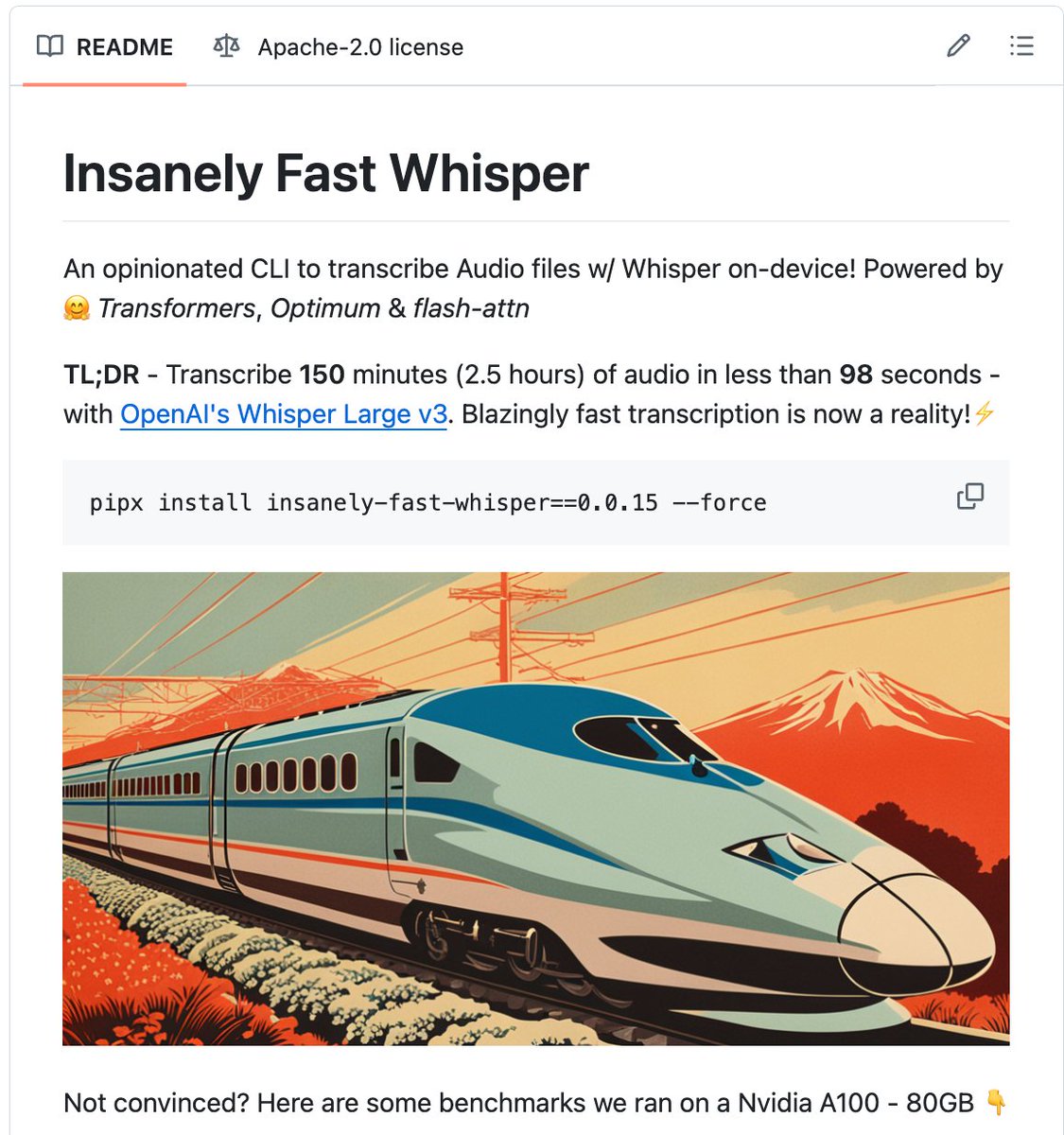
Nav Toor promotes Insanely Fast Whisper, an open-source MIT-licensed tool that runs Whisper transcription locally on NVIDIA GPUs or Apple Silicon. He claims 150 minutes of audio transcribes in 98 seconds, citing benchmarks against paid cloud and transcription services.

Original post · 1 min read
🚨 OpenAI charges $0.006/minute. Google charges $0.024. AWS charges $0.024.

Someone just open sourced a tool that does it for $0. And it's faster than all of them.

It's called Insanely Fast Whisper. And that's not hype. That's the benchmark.

150 minutes of audio. 98 seconds to transcribe. On your own machine. No API key. No cloud. No per-minute billing.

Here's what the numbers look like:

→ Whisper Large v3 + Flash Attention 2: 150 min of audio in 98 seconds
→ Distil Whisper + Flash Attention 2: 150 min in 78 seconds
→ Standard Whisper without optimization: 31 minutes for the same job
→ That's a 19x speedup. Same model. Same accuracy. Just faster.

Here's what it does:

→ One command to transcribe any audio file or URL
→ Speaker diarization — knows WHO said WHAT
→ Transcription AND translation to other languages
→ Runs on NVIDIA GPUs and Mac (Apple Silicon)
→ Flash Attention 2 for maximum speed
→ Clean JSON output with timestamps
→ Works with every Whisper model variant

Here's the wildest part:

Otter.ai charges $100/year. Rev charges $1.50/minute. Descript charges $24/month. Enterprise transcription contracts cost thousands.

Podcasters, journalists, researchers, lawyers, content creators — anyone still paying for transcription is lighting money on fire.

8.8K GitHub stars. 633 forks. MIT License.

100% Open Source.

(Link in the comments)
♥ 5.6K · ⟲ 489 · 👁 509.5KView on X ↗

Sawyer Hood Launches Dev-Browser CLI for Agent Browser Automation

Sawyer Hood Launches Dev-Browser CLI for Agent Browser Automation▶

Sawyer Hood introduces the dev-browser CLI, which lets agents use a browser by writing code, installable via npm with a single command. The post includes a demo video.

Original post · 1 min read
Introducing the new dev-browser cli.

The fastest way for an agent to use a browser is to let it write code.

Just `npm i -g dev-browser` and tell your agent to "use dev-browser"
♥ 3.0K · ⟲ 281 · 👁 871.0KView on X ↗

Dev-Browser CLI Uses Google WebMCP to Control Real Chrome Instance

Dev-Browser CLI Uses Google WebMCP to Control Real Chrome Instance▶

am.will praises dev-browser, which uses Google's WebMCP to drive the user's main Chrome instance with its existing sessions and cookies rather than a sandboxed Playwright browser, and describes how to enable remote debugging. The post is enthusiastic and offers little technical detail.

Original post · 1 min read
OMG you guys, this is incredible! This is using Google's new WebMCP function to control your browser, but not only is it lightning fast, but its unique because it is using your main Chrome instance.

Not some sandboxxed Playwright instance that doesn't want to remember your sessions, cookies, or passwords.

Your real Chrome instance. It's incredible.

You need to enable:

chrome://inspect/#remote-debugging

Also, it doesn't even require a skill to use. It just works. I'm thinking about making one anyway.

I'm telling you, download this and try it. This is my new daily for sure.
Sawyer Hood @sawyerhood
Introducing the new dev-browser cli.

The fastest way for an agent to use a browser is to let it write code.

Just `npm i -g dev-browser` and tell your agent to "use dev-browser"
♥ 2.7K · ⟲ 193 · 👁 458.8KView on X ↗

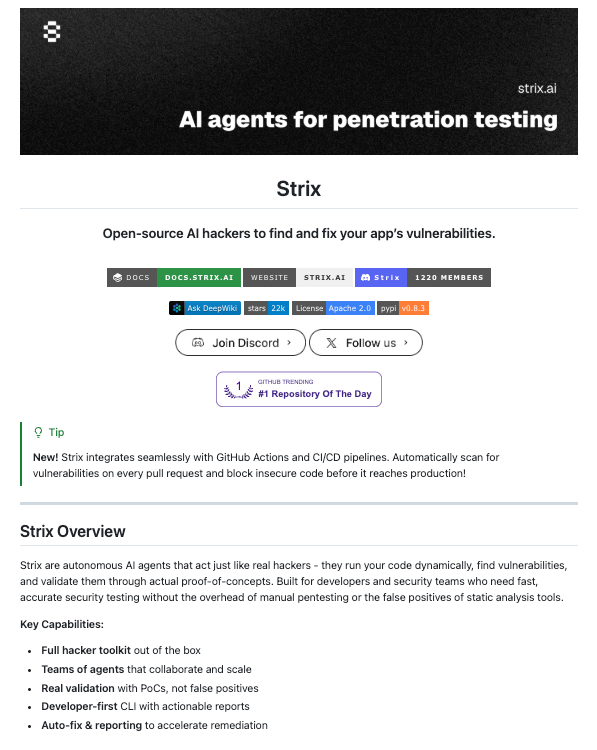
Open-Source AI Security Tool Tests Apps for Breaches Inside CI/CD Pipelines

Open-Source AI Security Tool Tests Apps for Breaches Inside CI/CD Pipelines

Charly Wargnier announces a free, open-source alternative to a startup that raised 117 million dollars for an AI app hacker, saying it tests apps by attempting intrusion, data theft and suggesting fixes, and runs in CI/CD pipelines. The repo link is in a thread.

Original post · 1 min read
🚨 A startup got $117M to build an AI app hacker.

An open-source alternative just dropped that does the exact same thing.

It breaks into your app, steals your data, and hands you the fix.

Now running directly in your CI/CD pipeline.

100% Free & Open-source.

Repo in 🧵↓
♥ 133 · ⟲ 22 · 👁 15.9KView on X ↗

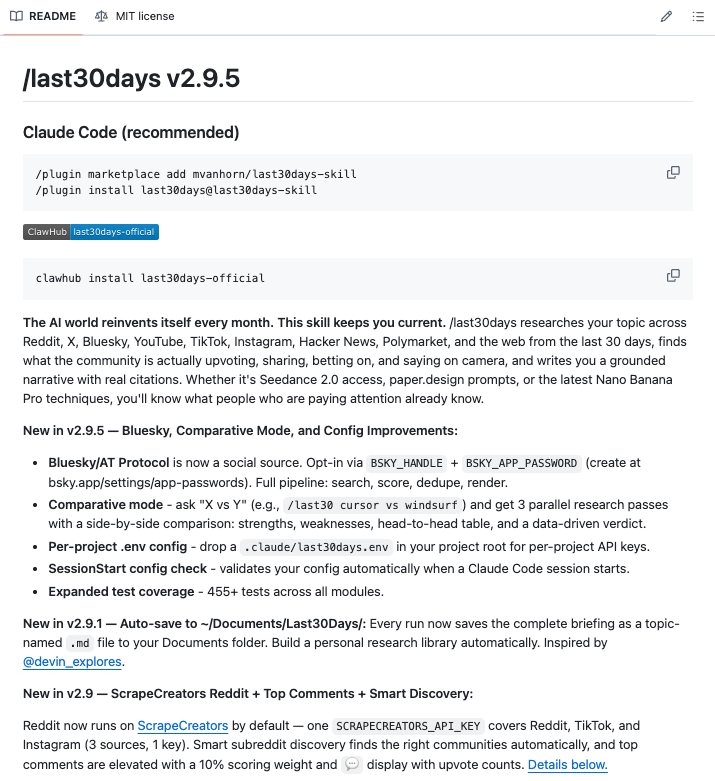
Millie Marconi Highlights Open-Source Claude Code Skill for Recent Prompts

Millie Marconi Highlights Open-Source Claude Code Skill for Recent Prompts

Millie Marconi promotes an MIT-licensed Claude Code skill that scans Reddit and X over the last 30 days on a given topic and generates ready-to-use prompts based on community findings. She says it works for areas including ChatGPT, Midjourney, Suno and Cursor.

Original post · 1 min read
This feels like cheating.

Someone built a Claude Code skill that scans Reddit and X from the last 30 days on any topic you give it, then writes you copy-paste-ready prompts based on what the community has actually figured out not what was working six months ago.

You type /last30days prompting techniques for ChatGPT for legal questions and it comes back with the top patterns real lawyers and power users are using right now, complete with a fully written prompt you can drop in and use immediately.

No more Googling, no more digging through threads, no more prompts that worked last year but got patched out.

It works for anything - Midjourney techniques, Suno music prompts, Cursor rules, trending rap songs, whatever you need to know what people are actually saying about right now.

100% Open Source. MIT License.

Link in the comments.
♥ 5.3K · ⟲ 427 · 👁 487.7KView on X ↗

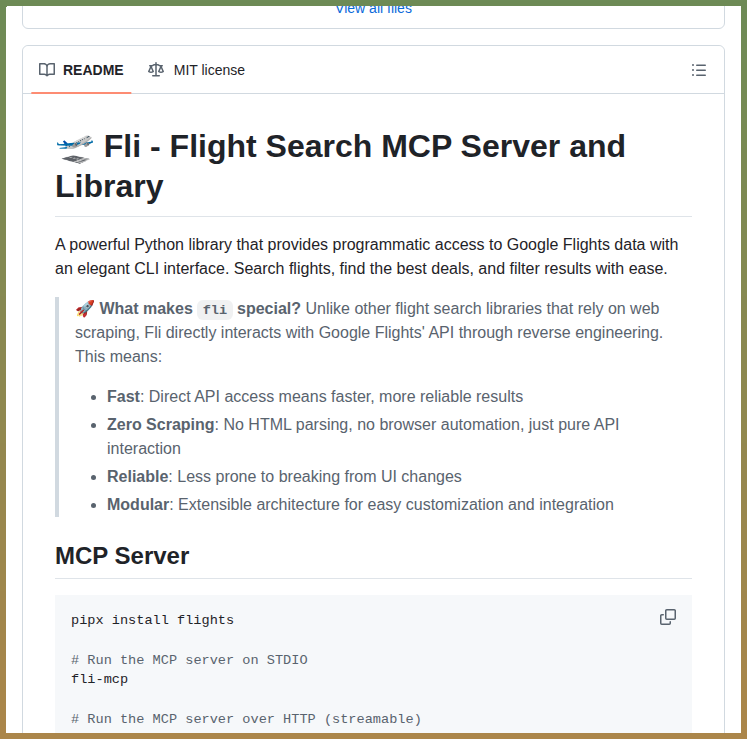
Open-Source fli Project Offers Google Flights Access Without Scraping

Open-Source fli Project Offers Google Flights Access Without Scraping

Tom Dörr shares the fli project on GitHub, which provides direct access to Google Flights through an MCP server, CLI and Python library instead of scraping.

Original post · 1 min read
Direct Google Flights API access without scraping

github.com/punitarani/fli
github.comGitHub - punitarani/fli: Google Flights MCP, CLI and Python LibraryGoogle Flights MCP, CLI and Python Library. Contribute to punitarani/fli development by creating an account on GitHub.
♥ 2.4K · ⟲ 96 · 👁 434.1KView on X ↗

Ruben Recommends Superpowers Brainstorming Skill for Creative Work

brainstorming — obra/superpowers

Ruben replies to Paul Solt that he uses the brainstorming skill from the obra/superpowers repository on skills.sh. The skill is meant to be used before creative work such as building features or modifying behavior, to explore user intent.

Original post · 1 min read
@PaulSolt I use brainstorming all the time

skills.sh/obra/superpowers/brainstorming
skills.shbrainstorming — obra/superpowersYou MUST use this before any creative work - creating features, building components, adding functionality, or modifying behavior. Explores user intent,…
♥ 119 · ⟲ 4 · 👁 34.1KView on X ↗
Sendblue Releases CLI Giving AI Agents an iMessage Number

Sendblue Releases CLI Giving AI Agents an iMessage Number▶

Nikita introduces the Sendblue CLI, installable via npm, which provisions an iMessage number for an agent after running a setup command. A demonstration video accompanies the announcement.

Original post · 1 min read
Introducing Sendblue CLI 🟦🎉

iMessage numbers for your agents.

1️⃣ npm install -g @sendblue/cli
2️⃣ sendblue setup

Done. Your agent has an iMessage number
♥ 2.1K · ⟲ 113 · 👁 453.6KView on X ↗

Indian Developer's Prompting Framework Tops GitHub, Author Shares Patterns

Indian Developer's Prompting Framework Tops GitHub, Author Shares Patterns

Brady Long promotes a GitHub prompting framework built by an Indian developer over 14 months and shares 11 prompt patterns from the repo that he says he has used for three weeks. The post is largely promotional and the claimed benchmark results are unverified.

Original post · 1 min read
🚨BREAKING: An Indian developer just hit #1 on GitHub with a prompting framework that outperforms every major benchmark.

No VC money. No research lab. Just a laptop and 14 months of testing.

Here are the 11 prompt patterns from his repo that I've been using for 3 weeks:
♥ 1.8K · ⟲ 286 · 👁 292.1KView on X ↗